Your products at a glance
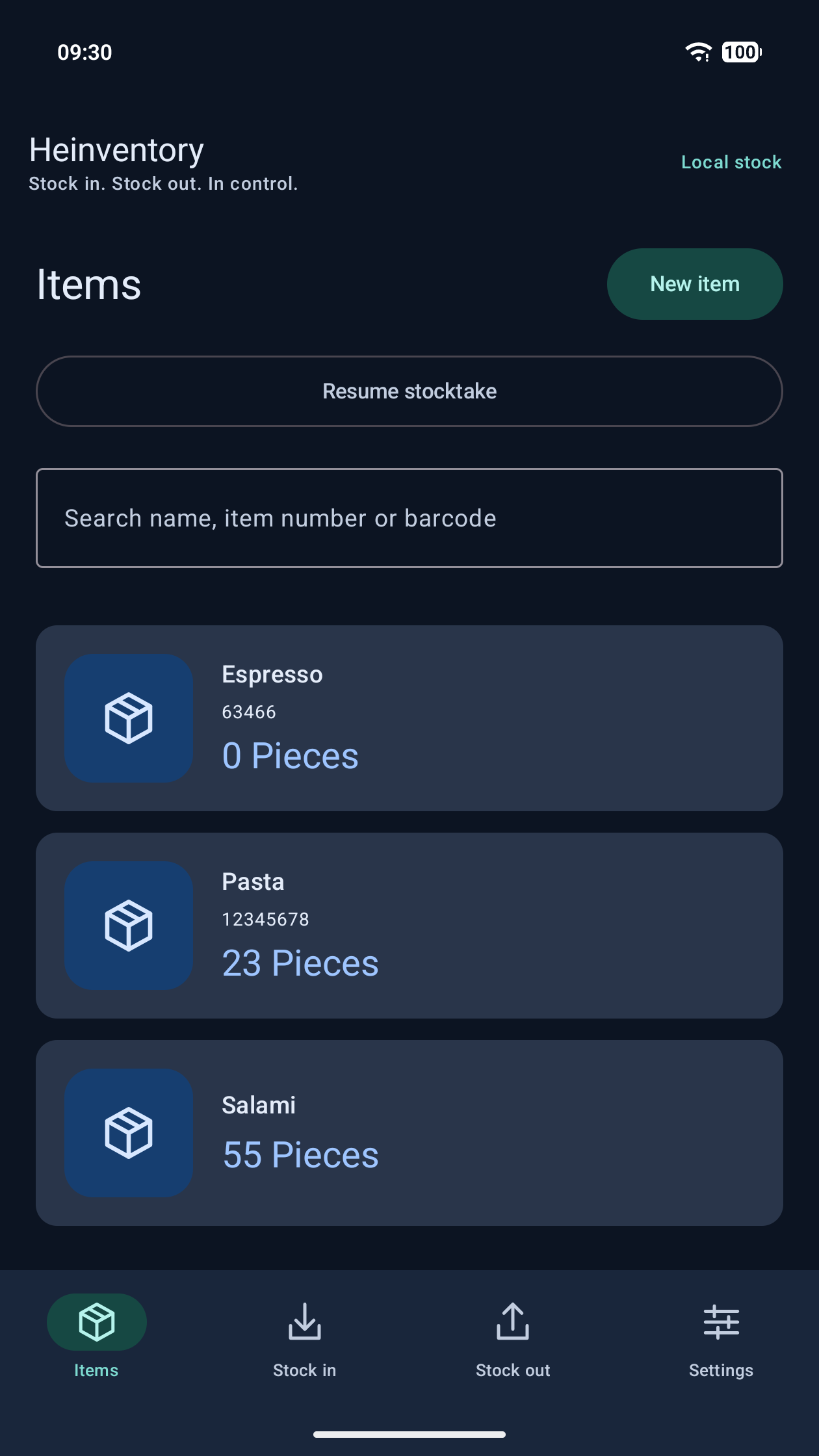
Your own names, photos and article numbers. Multiple barcodes per item and quantity factors for packs and cartons.
 Heinventory
Stock management for everyday work
Stock in, stock out and inventory counts on your Android phone or tablet. Use your camera or a compatible handheld scanner – even without internet.
For people who handle goods every day.
Features
From the next delivery to your next inventory count: Heinventory brings your products, stock movements and counts together in one app.
Your own names, photos and article numbers. Multiple barcodes per item and quantity factors for packs and cartons.
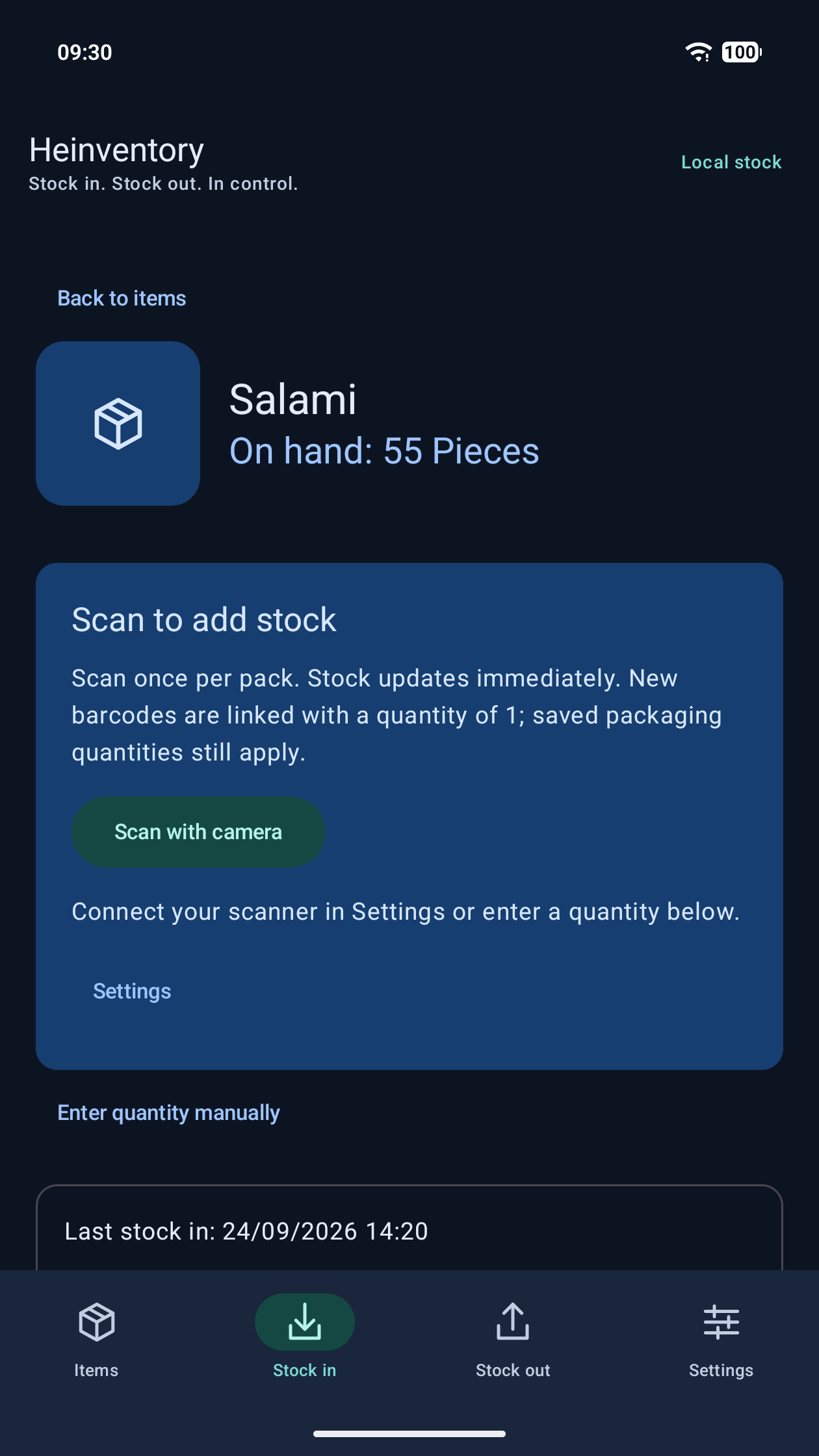
Select an item and scan, or enter quantities manually. Incoming goods increase your recorded stock.
Record consumption, waste and other reasons. The history shows what was taken out, when and why.
Count, pause and continue later. Review differences and apply counted quantities after confirmation.
Incoming goods, withdrawals and adjustments in one place. Correct mistakes with traceable reversals.
Export stock as CSV for further processing. Create and restore local backups with products, movements and photos.
How it works
You decide what to record. Heinventory keeps track of your stock.
Add a name, photo, unit and barcodes. Set the quantity per pack when needed.
Open an item and scan. Separate scans record movements straight away; confirm manual quantities before recording.
Check current quantities and movements, count your stock and back up your data.
Scanning
Use what fits your work. Your camera, a compatible handheld scanner and manual entry all update the same stock records.
Read barcodes directly on your phone or tablet. Barcode recognition works offline after installation.
Compatible HID scanners enter barcodes like a keyboard. Bluetooth alone does not guarantee HID support.
One scan counts one unit by default. Saved packaging factors convert larger packs into the correct base quantities.
KASSENKA + CLOUDSAVE
Already using Kassenka? Link matching products by article number and manage selected stock together, with active CloudSave and an internet connection.
Open portal Learn more about KassenkaProducts, stock movements, counts and local backups work without a mandatory account or CloudSave.
Sign in with your Kassenka account for stock synchronization. Explicitly enable shared stock for the products you choose.
The portal opens on kassenka.com. You use the same account.
Questions
Local stock management works without a mandatory account or internet connection. Connecting to Kassenka requires an account, active CloudSave and internet.
Android phones and tablets running Android 8.0 or later. The app is available in English and German. Check external scanners on your device using the built-in test.
After your review, counted quantities become the new stock levels. Uncounted items stay unchanged. You can pause and resume a count.
Yes. Export stock as CSV. Local backups include your product photos and can be restored. Regularly save a backup outside your device.
No. The portal link opens the existing Kassenka portal. Use your Kassenka account for shared management.
Start with your products and turn your Android device into your stock assistant.
Get it on Google PlayHave another question? support@ankele-gmbh.de